TMT Qualcomm Tool V3.0 Free Download – Best FRP & Factory Reset Solution for Technicians
TMT Qualcomm Tool V3.0 Free Download: Best FRP & Factory Reset Solution for Technicians
 |
| TMT Qualcomm Tool V3.0 Free Service Software Interface for Qualcomm Devices |
Mobile phone repair technicians regularly handle devices brought in by customers who have forgotten their lock screen passwords, PINs, or Google Account details following a hard reset. In the modern mobile servicing industry, relying on powerful, reliable, and precise servicing software is essential to diagnose and restore these smartphones efficiently. When official recovery modes fail or factory reset operations become inaccessible through standard menu buttons, professional utility software serves as the standard solution.
While premium, paid servicing boxes and dongles exist across the industry, entering the repair field does not require massive upfront software investments. High-performing free servicing utilities provide beginner technicians with a professional-grade toolkit to manage common software errors, pattern locks, and Factory Reset Protection (FRP) screens on popular Qualcomm-powered smartphones.
One highly efficient, safe, and widely trusted utility in this category is TMT Qualcomm Tool V3.0. This practical guide details everything you need to know about TMT Qualcomm Tool V3.0, including its practical servicing capabilities, complete supported model list, step-by-step setup guide, hardware requirements, and best ethical practices for repair shops.
What is TMT Qualcomm Tool V3.0?
TMT Qualcomm Tool V3.0 is a lightweight, high-performance software utility engineered specifically for smartphones operating on Qualcomm Snapdragon processors. It provides targeted solutions for complex software maintenance tasks, including removing Factory Reset Protection (FRP) locks, clearing persistent pattern or password screens, and executing deep factory resets on smartphones that cannot be formatted through stock recovery mode.
FRP remains a major operational hurdle for repair technicians when customers perform hard resets without removing their associated Google credentials. TMT Qualcomm Tool V3.0 simplifies this complex servicing process into straightforward operational commands, allowing technicians to restore customer devices safely without damaging system partitions or corruption of core baseband firmware.
Key Features & Capabilities of TMT Qualcomm Tool V3.0
One-Click FRP Lock Bypass: Safely clears Google account verification locks across supported Qualcomm devices within seconds.
Deep Hard Reset / Factory Formatting: Bypasses blocked stock recovery menus to format device user data safely.
Qualcomm Emergency Download (EDL) & SBL Mode Integration: Communicates directly with Snapdragon chipsets at the hardware communication level for stable operations.
Clean & Lightweight User Interface: Features a minimalist dashboard that executes commands efficiently without requiring complex driver configurations.
Zero Licensing Fees: Fully usable for repair technicians building out their servicing bench without monthly subscriptions.
Supported Phone Models & Processor Security (Tested in 2026)
The software demonstrates exceptional stability across widely used Snapdragon mid-range chipsets, specifically the Snapdragon 460 (SDM 460) and Snapdragon 720G (SDM 720) platforms. Despite evolving security standards, TMT Qualcomm Tool V3.0 continues to reliably serve these model lines through 2026.
Supported OPPO Models:
OPPO A53 (CPH2127) – Snapdragon 460
OPPO A53s (CPH2135) – Snapdragon 460
OPPO A11s (PDVM00) – Snapdragon 460
OPPO A32 (PDVM00) – Snapdragon 460
OPPO RENO 4 (CPH2113) – Snapdragon 720
OPPO RENO 5 (CPH2159) – Snapdragon 720
OPPO RENO 6 (CPH2235) – Snapdragon 720
Supported REALME Models:
REALME A33 (RMX2137) – Snapdragon 460
REALME A53s (RMX2139) – Snapdragon 460
REALME 6 PRO (RMX2061) – Snapdragon 720
REALME 7 PRO (RMX2170) – Snapdragon 720
REALME 8 PRO (RMX3081) – Snapdragon 720
REALME C17 (RMX2101) – Snapdragon 460
REALME C15 (RMX2195) – Snapdragon 460
Note: Having personal benchmarked experience using TMT Qualcomm Tool V3.0 on these models in practical bench environments confirms its efficiency for daily repair operations.
Installation & Setup Guide
Setting up TMT Qualcomm Tool V3.0 on your workshop computer is fast and straightforward. Follow these steps to extract and launch the tool correctly:
Step 1: Download the Package
Download TMT Qualcomm Tool V3.0.
Step 2: Extract the Archive
Locate the downloaded .rar archive on your system. Right-click the file and select Extract Here or Extract to Folder using WinRAR or 7-Zip.
Archive Password:
RSL Mobile Solution
Step 3: Launch the Application
Open the newly extracted folder directory.
Locate the executable application file named
TMT Qualcomm Tool V3.0.exe.Right-click
TMT Qualcomm Tool V3.0.exeand select Run as Administrator to ensure proper driver access.The software main dashboard will initialize and load instantly on screen.
How to Perform FRP Removal & Factory Reset
Install official Qualcomm HS-USB QDLoader 9008 Drivers on your PC.
Power off the target mobile device completely.
Boot the device into EDL (Emergency Download Mode) using the specific hardware button combination (typically Volume Up + Volume Down while inserting the USB cable) or hardware test points.
Verify device detection under Device Manager under
Ports (COM & LPT)asQualcomm HS-USB QDLoader 9008.Launch TMT Qualcomm Tool V3.0, select the correct device brand and model from the menu, and choose the target operation (Reset FRP or Factory Reset).
Click Start and allow the progress bar to complete to 100% before disconnecting the device.
Frequently Asked Questions (FAQ)
Can TMT Qualcomm Tool V3.0 work on all latest Android smartphones?
While this tool supports a broad range of Qualcomm-powered devices, it does not support every mobile phone on the market. In the mobile servicing industry, no single universal software tool supports 100% of phone models, chipsets, and security patches.
Will TMT Qualcomm Tool V3.0 run smoothly on low-end workshop PCs?
Yes. TMT Qualcomm Tool V3.0 is optimized to run efficiently on low-resource hardware setups. It runs reliably even on dual-core processors with 2GB/4GB RAM running Windows 7, 10, or 11.
Is there a single software tool that can unlock every smartphone brand?
No. Smartphone manufacturers use diverse system architectures, CPU chipsets (Qualcomm, MediaTek, Unisoc, Exynos), and custom security bootloaders. Technicians maintain a versatile toolkit of software solutions tailored to specific chipsets and configurations.
Recommended Servicing Guides for Technicians
If you are looking for additional high-performance free software to expand your servicing capabilities, check out our companion guide:
Alternative Recommended Tool:
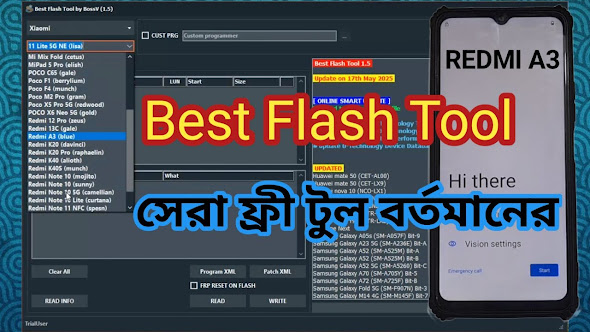
Introducing BFT Best Flash Tool Free Solution
Technical Disclaimer & Ethical Usage Notice
Important Notice: The software utility discussed in this educational article is shared strictly for technical research, educational purposes, and legitimate maintenance services conducted by certified repair personnel. The authors and owners of this platform do not own, developer-host, or hold copyright claims over TMT Qualcomm Tool V3.0.
Technicians must independently verify device ownership, maintain customer repair authorization records, and ensure strict compliance with local consumer laws before performing software modifications, FRP resets, or service procedures on any mobile device.