TPS Tool V3.1 Free Download (24113) - Tested Unlock & Repair Setup
As mobile repair technicians, one of the most common challenges we face daily is handling devices with forgotten screen locks or Factory Reset Protection (FRP) locks. Whenever a customer brings in a phone with software issues, our primary objective is to restore the device safely and efficiently.
To execute these servicing tasks, we rely on various software tools. While there are numerous premium, subscription-based paid tools on the market, there are also several reliable free utilities that perform remarkably well. TPS Tool V3.1 (Build 24113) is one such completely free utility that makes FRP bypassing and factory resetting effortless across various Android models.
 |
| TPS Tool V3.1-24113 Interface for FRP and Factory Reset Servicing |
My Personal Experience with TPS Tool V3.1
I have been personally using TPS Tool V3.1 in my day-to-day repair workflow for a long time, and it has consistently proven to be an invaluable asset on my workstation. I have successfully resolved dozens of software lock issues using this light and effective utility.
The biggest advantage of this tool is accessibility—it costs you nothing. If you are starting out or looking to reduce operational costs, I highly recommend giving it a try. Since it is entirely free, there is zero financial risk. If it meets your workshop requirements, it adds immediate value to your repair kit; if not, you can easily uninstall it without losing a single penny.
Because this utility has worked so smoothly for my repair tasks, I decided to share this hands-on breakdown with my fellow technician community.
Crucial Prerequisite: Installing the Right USB Drivers
Before using any servicing software, you must ensure that your Windows PC has all necessary mobile USB drivers installed properly. A common mistake many newcomers in the mobile repair industry make is downloading a tool and attempting to connect a phone immediately. When the software fails to detect the device, they assume the software itself is broken.
In reality, the issue almost always stems from missing or corrupted communication drivers on the PC. Without proper drivers, your computer cannot establish a hardware connection with the phone's chipset.
Need Driver Setup? If you haven't configured your system's drivers yet, check out our comprehensive guide: All in One Mobile USB Driver Solution. This step-by-step tutorial explains how to download, install, and prepare your PC into a fully functional repair workbench.
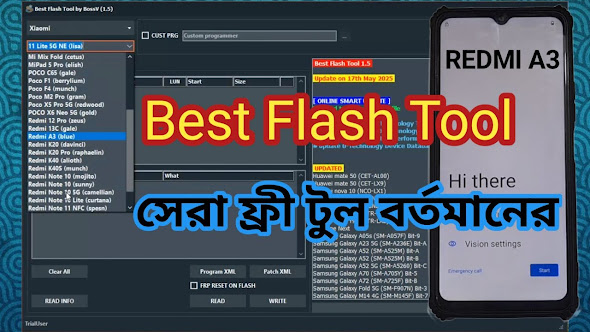
Additionally, if you are looking for another high-utility free software that covers a wide array of mobile servicing functions, feel free to read our detailed write-up on BFT (Best Flash Tool) Free Version.
TPS Tool V3.1 (24113) Information & Password Credentials
To set up and run TPS Tool V3.1 on your Windows computer, use the official file archive credentials below:
- Archive File Password (RAR):
RSL Mobile Solution - Setup Installation Password:
TPSV3
How to Install and Use:
- Download the TPS Tool archive file onto your computer.
- Extract the
.rarfile using WinRAR or 7-Zip using the archive password:RSL Mobile Solution. - Run the setup installer file and enter the installation password:
TPSV3. - Follow the simple on-screen instructions to complete setup, launch the application as Administrator, and begin your repair operations.
The installation process is straightforward and takes less than two minutes to complete. Enjoy servicing your devices!
Important Legal & Ethical Disclaimer
This guide and software reference are shared strictly for educational purposes and authorized mobile repair training. We strongly condemn any unauthorized or illegal activity. Always obtain explicit permission and ownership verification from the device owner before performing any software unlock, FRP removal, or repair operation. Working on reported lost or stolen devices is a punishable crime under applicable law. Always practice ethical technician standards.