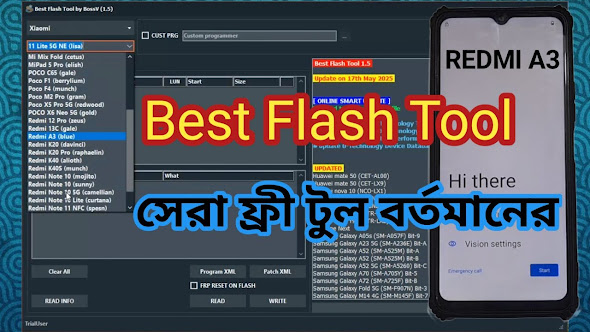
All-in-One USB Driver Solution for Mobile Repair Technicians (MTK, Qualcomm, SPD)
All USB Driver Solution for Mobile Repair Technicians
 |
| All-in-One USB Driver Setup Package for Mobile Software Servicing |
As mobile repair technicians, one of the most common tasks we deal with every single day is when customers bring in smartphones with forgotten screen locks, software glitches, system loops, or corrupted firmware. To restore these devices, we rely on various hardware and software servicing tools. However, many beginners and even intermediate technicians frequently hit a wall right at the beginning—the mobile USB driver problem.
If your computer lacks the proper USB drivers, no matter how advanced or premium your servicing software is, it simply will not detect the smartphone. Many technicians mistakenly assume their servicing tool is buggy or broken. In reality, the tool is perfectly fine—the USB driver is the true hero working behind the scenes. It acts as the digital bridge connecting your PC motherboard to the mobile device's processor over a USB cable.
In this guide, I am sharing the exact, hassle-free All-in-One USB Driver Solution that I personally use on my shop’s workstation. By following this single setup guide, you will never have to worry about driver errors again.
Understanding Mobile Processors (CPUs) & Driver Requirements
Every smartphone runs on a specific Chipset Architecture (CPU). Because different chipsets communicate differently with Windows operating systems, each processor type requires its own dedicated driver framework during diagnostic, bootloader, or flashing modes.
In today's repair market, the vast majority of software servicing jobs belong to three major chipset families:
- MediaTek (MTK): Powers a huge portion of budget and mid-range devices. Requires VCOM and Preloader drivers for software connection.
- Qualcomm Snapdragon: Widely used across mid-range and flagship Android phones. Requires EDL (Emergency Download Mode 9008) drivers.
- Spreadtrum / Unisoc (SPD): Extremely common in modern entry-level smartphones and feature phones. Uses specialized SPD Diagnostic drivers.
Apart from these three, there are other specialized chipset environments:
- Apple iOS Devices: Requires Apple Mobile Device USB Drivers installed via iTunes or official setup.
- Huawei Kirin Processors: Requires dedicated Huawei USB/COM drivers for TestPoint and fastboot servicing.
- ADB & Fastboot Mode: Generic Android Interface drivers required for command-line diagnostics and bootloader interactions.
- Feature / Button Phones: require legacy RDA, Coolsand, or MSTAR drivers.
Trying to search, download, and install all these drivers individually can be exhausting, confusing, and time-consuming. That is why having an all-in-one installer package is an absolute game-changer.
Download the All-in-One Driver Package
To eliminate the headache of searching for individual CPU drivers, I have packaged all essential drivers into a clean, ready-to-use RAR file hosted safely on Google Drive.
📁 Download Drivers RAR Package:
Click Here to Download All-in-One Driver Pack (Google Drive)
🗜️ Download WinRAR Utility (If required):
Click Here to Download WinRAR Setup (Google Drive)
Step-by-Step Installation Guide
Follow these simple steps to permanently fix all mobile driver connectivity issues on your PC:
- Download the Files: First, download the All-in-One Driver RAR file from the link above to your computer.
- Install WinRAR: If your PC does not already have WinRAR installed, download and install the WinRAR utility provided above so you can extract compressed files.
- Extract the Package: Right-click on the downloaded Driver RAR file and select "Extract Here" or "Extract to folder".
- Locate the Setup Files: Once extracted, you will find four main installer files inside the folder.
- Install All 4 Installers One by One: Run each setup file as Administrator and complete the installation prompts.
Important Technician Tip: Please be patient during the installation process! Installing these driver suites takes time. Specifically, one of the driver installation packages can take up to 20 to 25 minutes to unpack and integrate system files properly into your Windows registry. Do not cancel or interrupt the installer—let it complete fully.
Why This Setup Solves All Your Connectivity Problems
Once all four installer files have finished installing, your computer setup is complete. You won't need to hunt down individual drivers ever again for standard mobile servicing work.
With this setup on your PC, you are completely prepared to handle:
- FRP (Factory Reset Protection) servicing and diagnostic checks.
- Factory reset and user data formatting tasks.
- Firmware flashing and unbricking stuck devices.
- IMEI and network repair operations for legally authorized maintenance.
- Both common and uncommon smartphone models entering your repair shop.
This is the exact methodology I follow on my own workstation. After setting up my PC with these four installers, I never have to stress about device recognition errors, missing COM ports, or offline USB status.
Frequently Asked Questions (FAQs)
1. Do I need to disable Driver Signature Enforcement in Windows?
For modern Windows OS (Windows 10/11 64-bit), if a specific legacy driver fails to install or shows a yellow exclamation mark in Device Manager, disabling Windows Driver Signature Enforcement temporarily before installation is recommended.
2. Will this pack work for modern Unisoc/SPD devices?
Yes, the included SPD setup file covers driver signatures for both legacy Spreadtrum CPUs and the latest Unisoc chipsets commonly found in modern budget phones.
3. Why is the mobile phone not detected even after installing drivers?
Ensure that your USB cable supports high-speed data transmission (not just charging) and check your PC's rear USB ports (preferably USB 2.0 ports for flashing and bootloader modes).
Educational & Professional Disclaimer
This resource and step-by-step guide are provided strictly for educational purposes and legitimate hardware/software repair service work conducted by authorized mobile technicians. Please ensure all servicing activities comply with local electronic device repair regulations and ethical standards. Do not utilize hardware repair tools for illegal or unauthorized activities.