MOBILedit Forensic Ultra: Best Free FRP & Data Recovery Tool for Mobile Technicians
In the professional field of smartphone servicing, hardware repairs represent only half the battle. Mobile phone repair technicians encounter software barriers on a daily basis. When customers accidentally forget their lock screen patterns, PINs, or factory credentials after a device reset, they rely on technical experts to safely recover device functionality.
To execute these operations efficiently, technicians generally rely on professional flashing and servicing boxes. While premium paid software packages deliver reliable results, not every newly established workshop or technician can immediately afford expensive annual activations. Consequently, high-quality free tools become a vital asset. Most mainstream software locks can be resolved using free utility tools, but finding a reliable, free FRP unlock tool specifically optimized for complex architectures—such as the Samsung Exynos chipset—remains a major bottleneck step for many developers and shops.
Today, we are introducing a powerful solution that addresses this exact gap: MOBILedit Forensic Ultra. This comprehensive technical guide covers its operational features, multi-CPU compatibility, unique data-preservation bypassing mechanics, and step-by-step implementation procedures.
What is MOBILedit Forensic Ultra?
 |
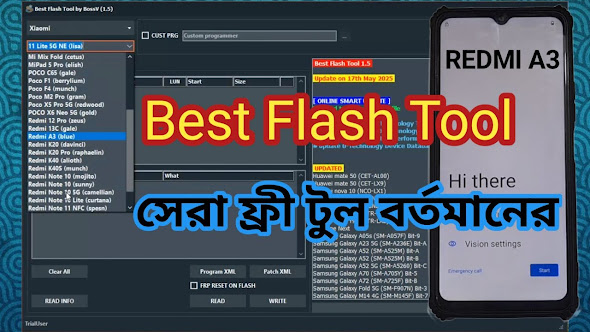
| MOBILedit Forensic Ultra interface showing multi-CPU support and screen lock recovery options. |
MOBILedit Forensic Ultra is a highly sophisticated software utility designed specifically for advanced digital maintenance, data extraction, and security bypassing. While standard flashing tools focus purely on overwriting factory firmware, this utility focuses on deep system interaction, making it the best FRP tool for mobile repair technicians looking for an accessible yet powerful professional solution.
Key Features & Multi-CPU Architecture Support
The primary limitation of most free tools on the market is their narrow chipset restriction. Many tools only handle basic MediaTek or Spreadtrum devices, leaving advanced chipsets unsupported. This software overcomes those boundaries by offering robust compatibility across diverse hardware architectures:
1. Samsung Exynos CPU Free FRP Tool Capabilities
Historically, bypassing the Factory Reset Protection (FRP) layer on Samsung devices powered by internal Exynos processors required specialized premium authorization or paid server credits. This software functions as a dedicated Samsung Exynos CPU free FRP tool, allowing service experts to bypass Google account verifications on supported Exynos models seamlessly without costly subscription barriers.
2. Comprehensive Multi-Chipset Compatibility
Beyond its specialized Samsung features, this tool functions as a universal utility for general workshop configurations. It fully supports:
MediaTek (MTK): Direct handshake protocols for modern MTK smartphones.
Qualcomm Snapdragon: Efficient EDL mode interacting and safety parameter processing.
Spreadtrum/Unisoc (SPD): Stable diagnostic configuration reading for low-to-mid tier devices.
Advanced Screen Unlocking Without Data Loss
One of the most remarkable and commercially valuable features of this software is its capability to read or bypass security locks without triggering a hardware master reset.
Maximize Your Workshop Revenue
When customers bring in a device with a forgotten lock pattern or passcode, their primary concern is almost always the safety of their personal files, business documents, and photos. Normal flashing or wiping permanently destroys this data.
With this software, you can safely unlock the user interface or retrieve the active security lock pattern without deleting any internal user data. Because this requires specialized forensic-level processing, technicians can comfortably charge a premium service fee for this data-preservation utility, directly boosting workshop revenue while delivering maximum customer satisfaction.
Exploring Alternative Service Options: The BFT Free Tool
For professionals looking to diversify their software library and maintain a fallback platform for general-purpose operations, testing multiple utilities is highly recommended. Alongside this package, you should explore the BFT Free Tool, which serves as an outstanding secondary asset for universal flashing.
You can read the complete architectural breakdown and access the alternative package directly here:
Technical Specifications & Low-End PC Performance
A common issue with modern premium servicing platforms is their heavy system resource demands, often requiring high-end gaming rigs or expensive computing hardware to run smoothly.
Fortunately, this tool is highly optimized at the source code level. It features a remarkably lightweight footprint that allows it to operate flawlessly on entry-level computers. During workshop testing, the software initiated instantly and ran without latency or calculation errors on a standard Dual-Core CPU system equipped with basic system memory. This makes it an ideal choice for rising technicians who want to build a professional career without investing heavily in expensive computer upgrades upfront.
Download MOBILedit Forensic Ultra (Tested Package)
The file package provided below has been securely archived and verified for professional evaluation.
Official File Download:
Secure Google Drive Download Link Archive Decryption Password:
RSL Mobile Solution
Step-by-Step Installation & Operational Guide
To ensure proper execution and prevent system runtime conflicts, follow these deployment steps carefully:
Download and Extract: Download the compressed archive from the validated Google Drive repository provided above. Use a standard extraction utility (like WinRAR or 7-Zip) and input the decryption password:
RSL Mobile Solution.Access the Directory: Open the newly created extracted folder on your local storage drive.
Launch the Executive Core: Locate the primary application file, right-click, and select "Run as Administrator" to grant the software necessary system-level access to your USB COM ports.
Facing Installation Issues?
Because this software interacts closely with low-level device drivers and diagnostic USB portals, some initial setups may encounter configuration difficulties or execution roadblocks. If you find the setup process complex or need a visual walkthrough, a comprehensive video tutorial detailing the entire installation sequence is available. Head over to YouTube and search for our dedicated channel, RSL Mobile Solution, to watch the step-by-step video guide.
Technical FAQ: Professional Clarifications
Q1: Is this tool capable of servicing every single modern smartphone model?
Answer: No. While it offers extensive support for a vast majority of modern chipsets and updated security patches, no single software application in existence can universally service every smartphone on earth. Mobile security ecosystems continuously evolve, and tool capabilities vary depending on patch levels.
Q2: Can this software be safely run on low-end computer hardware?
Answer: Yes, absolutely. The tool features an exceptionally optimized environment. It runs seamlessly on legacy Dual-Core processors without causing system instability or performance lags during critical operations.
Q3: Is there a universal tool available that unlocks all security types?
Answer: No. There is currently no single utility capable of bypassing all security structures across all manufacturers. Every tool has its unique specialties, strengths, and specific chipset support frameworks. Professional workshops regularly use a combination of tools to handle diverse client requests.
Professional Disclaimer & Security Policy Notice
Important Security Notice for Technicians: The software package shared in this article is provided strictly for educational research, technical training, and legitimate data recovery purposes. We do not claim ownership of the software, and the intellectual rights belong entirely to its respective developers.
Before performing any lock bypass, factory reset, or device flashing operation on a client's smartphone, it is your strict professional responsibility to verify the legitimate ownership of the device. Ensure you confirm that the smartphone belongs to the individual requesting the service and secure explicit owner consent before executing any modifications.
For more exclusive software reviews, premium technical breakdowns, and verified smartphone servicing materials, keep bookmarking our portal.