
Best Mobile Unlock Tool: Download KS Tool V4.6 Main (Free & Update Solved)
Best Mobile Unlock Tool: Free Download for Repair Technicians (KS Tool V4.6 Main)
 |
| KS Tool V4.6 Main: One-stop solution for FRP and Screen Lock bypass. |
As mobile repair technicians, we frequently encounter customers who have forgotten their device locks or face various software issues that require professional unlocking and repair services. To provide these services effectively, we rely on specialized software tools to handle different mobile models and chipsets.
Today, I am introducing a highly capable software called KS Tool V4.6 Main. This tool supports a vast range of the latest mobile models and is currently available for use entirely for free.
⚠️ Disclaimer & Educational Purpose
Please note that I am not the developer or owner of this software. This information is shared solely for educational and learning purposes for technicians and newcomers in the mobile repair field. Use this tool responsibly and at your own discretion.
Key Features of KS Tool V4.6 Main
This software is designed to be a comprehensive solution for various technical tasks. With this tool, you can perform:
FRP Unlock: Efficiently bypass Factory Reset Protection.
Bootloader Unlock: Open the bootloader for advanced servicing.
Screen Lock Removal: Unlock devices secured with PIN, Pattern, or Password.
IMEI Repair: Professional tools for repairing device identification.
Wide Brand Support: Compatible with a massive range of brands including Samsung, Xiaomi, Vivo, Oppo, Huawei, Infinix, Realme, Nokia, Lenovo, Tecno, ZTE, Alcatel, Itel, and many others.
Why Choose This Tool?
Modern Interface: The tool features a clean and user-friendly interface.
Ease of Use: Navigation and options are straightforward, making it accessible for all skill levels.
Latest Model Support: It includes support for many recent mobile models released in the market.
Low-End PC Compatibility: The software is optimized to run smoothly even on low-specification or dual-core computers.
Addressing the Update Issue (V4.3 to V4.6)
Many of you previously used version 4.3, which I shared earlier, and found it very helpful. However, that version recently stopped working and constantly requested an update. Many users faced issues where the update link led to a Telegram channel, but the required RAR password was not provided.
In this post, I am providing the solution to that problem. While the developers briefly moved this to a paid model, they are currently offering it for free again. Technicians can continue to use this free version as long as it remains available.
For those just starting in the mobile repair profession, using high-quality free tools like this is an excellent way to begin professional work before investing in expensive paid software.
Recommended: If you are looking for another powerful alternative, check out the
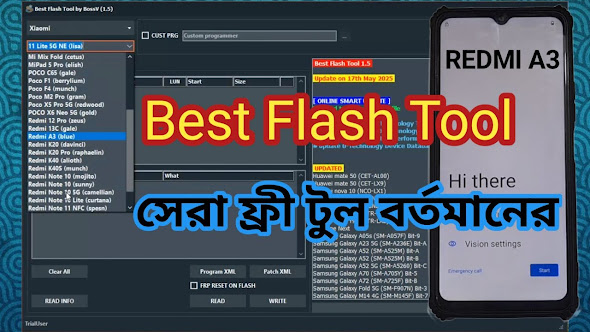
. BFT (Best Flash Tool) Free Guide
Download Links & Login Details
Software Download:
KS Tool V4.6 Main RAR File Password:
RSL Mobile SolutionLogin Credentials:
Download Username & Password Text File
How to Install and Use
Download the tool and the login credentials text file from the links provided above.
Extract the downloaded RAR file using the password:
RSL Mobile Solution.Open the extracted folder and launch the KS Tool application.
Copy the Username and Login Password from the text file.
Paste the credentials into the tool's login interface and click login.
The tool is now ready for your repair tasks.
Frequently Asked Questions (FAQ)
Q: Can this tool unlock every mobile phone model?
A: No, while it supports a vast majority of latest models, no single tool in the world can unlock every single phone.
Q: Will it run on a low-end computer?
A: Yes, it is verified to run smoothly even on older Dual Core PCs.
Q: Is there any virus risk with this software?
A: This is an official service tool and does not contain viruses; it is safe for professional use.
Q: Is there one single tool that does everything?
A: No, different tools have different features and specialties. Successful technicians often use a combination of tools for various tasks.
Best of luck with your mobile repair journey!


usgername and pass rong he
पासवर्ड गलत है
user KS Tool pass -> Free10 not working