
DFT Pro Tool V4.2.1 Download: Best Mobile Repair and FRP Unlocking Tool Guide
DFT Pro Tool V4.2.1 Download: The Ultimate Mobile Repair and Unlocking Guide for Technicians
 |
| DFT Pro Tool V4.2.1 for Professional Technicians. |
The smartphone repair industry is growing rapidly, and with it, the complexity of mobile software issues is increasing daily. As a professional mobile repair technician, customers visit your workshop every day with a wide range of software problems. These issues typically include forgotten pattern locks, pin passwords, device freezes, corrupted firmware, and the highly common Factory Reset Protection (FRP) lock screen. To handle these challenges efficiently and maintain a high success rate, having the best mobile repair tool in your software arsenal is absolutely essential.
Today, we are going to talk about one of the most versatile, powerful, and trusted tools in the mobile servicing industry: DFT Pro Tool V4.2.1. If you are looking for a reliable software solution that can handle almost any major smartphone brand and CPU architecture, this tool is highly recommended. In this comprehensive guide, we will explore its features, supported chipsets, installation process, and how it can transform your daily repair workflow.
What is DFT Pro Tool V4.2.1?
DFT Pro Tool is an all-in-one multi-functional software utility designed specifically for smartphone repair technicians. It serves as a universal interface to diagnose, flash, unlock, and repair the software layers of modern android devices. Instead of switching between ten different single-purpose software tools, DFT Pro combines multiple capabilities into a single dashboard.
Whether a device is bricked, stuck on a boot loop, or locked out due to forgotten user credentials, this utility provides stable protocols to interact with the device's storage and processor. It is widely considered one of the best mobile unlocking tools available because it bridges the gap between complex hardware testing and simple software execution.
Universal CPU and Brand Support
One of the biggest reasons why DFT Pro Tool is loved by technicians worldwide is its massive compatibility matrix. Smartphones come with different processors (CPUs), and each CPU requires a unique protocol to communicate with a computer. DFT Pro natively supports almost all major CPU chipsets, including:
- MediaTek (MTK): Highly stable support for old and new MTK chipsets.
- Qualcomm Snapdragon: Excellent EDL (Emergency Download Mode) and Fastboot capabilities.
- Spreadtrum (SPD): Complete solution for low-budget and legacy chipsets.
- Samsung Exynos: Dedicated service functions for Samsung devices.
- Rockchip: Useful for specific tablet devices and custom hardware.
Because it covers these major chipsets, you can work seamlessly across top smartphone brands such as Samsung, Vivo, Xiaomi, Infinix, Tecno, Realme, Oppo, Huawei, and Honor. No matter what device comes to your repair counter, you will most likely find a working solution within this single environment.
Key Features of DFT Pro Tool V4.2.1
If you receive ten software-damaged or locked devices at your shop, you can easily solve nine of them using just this tool. Let's break down the powerful features that make it the best frp tool for mobile repair technician:
1. Advanced FRP Unlock (Factory Reset Protection)
When a user resets their phone without removing their Google account, the device gets locked on the setup wizard. DFT Pro provides one-click bypass and removal solutions for Google FRP across MTK, Qualcomm, and Samsung devices, saving hours of manual bypass work.
2. Screen Lock Removal
It easily removes user data locks, including PIN, Pattern, Fingerprint, and Face Unlock configurations, by wiping the lock pattern partition safely or restoring the system defaults.
3. Account Lock Bypass (Mi Account & Honor ID)
Xiaomi and Honor devices have extra layers of security cloud locks (Mi Account and Honor ID). DFT Pro allows technicians to reset or disable these accounts so that the phone can be reused legally by its rightful owner after a reset.
4. Comprehensive Firmware Flashing
Whether you need to upgrade a phone’s operating system, downgrade it to fix a bug, or unbrick a dead device, the tool provides robust flashing engines for all supported CPUs. You can write official stock firmware directly to the system partitions.
5. Network and IMEI Repair
Software corruption often leads to an invalid IMEI or network signals dropping entirely. DFT Pro allows you to repair the original IMEI number and restore network configuration files (NV data) to fix signal issues properly.
6. Patch Certificate & Security Solutions
For Samsung and network-locked devices, patching certificates is vital to get the network signals working after software modifications. This tool automates the certificate patching process efficiently.
7. Bootloader Management (Unlock/Relock)
Unlocking the bootloader is necessary for deep system modifications or custom recoveries. This utility allows you to safely unlock or relock the bootloader with a single click on supported models.
8. Partition Manager & Slot Switching
Advanced users can read, write, or erase individual partitions of the phone's storage. It also supports switching active partitions from Slot A to Slot B (and vice versa) for modern dual-slot Android devices.
Why New Technicians Should Start with Accessible Tools
If you are new to the mobile repairing profession, investing thousands of dollars into premium, paid hardware boxes and yearly digital licenses can be a financial burden. It is always smarter to start your professional journey with accessible, highly capable utilities that provide premium performance without heavy initial investments.
DFT Pro Tool V4.2.1 stands out as a top tool for mobile repair technician free usable options because it offers an exceptionally high success rate on daily tasks. I have personally tested and utilized this tool in my repair lab. It helped me resolve hundreds of customer device issues efficiently, which is why I am sharing this tried-and-tested utility with you today.
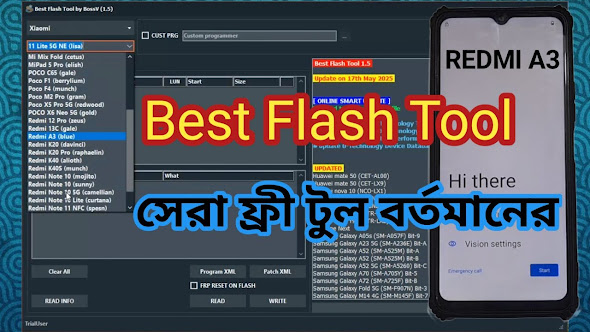
Additionally, if you want to explore more options, I have previously posted about another amazing free servicing tool called BFT. You can read the detailed guide here: Introducing BFT - Best Flash Tool Free Guide.
How to Download and Install DFT Pro Tool V4.2.1
Setting up the utility on your workstation is very simple. Follow these straightforward steps to get started:
- Download the secure setup package from the link below.
- Once the download is complete, locate the compressed RAR archive file on your PC.
- Extract the archive using a file extractor like WinRAR or 7-Zip.
- Open the extracted folder then u wil be able to know how to install
Download Link: DFT Pro Tool V4.2.1 Secure Download
Archive RAR Password: RSL Mobile Solution
Frequently Asked Questions (FAQs)
Q1: Can this tool work on all the latest smartphone models?
Answer: DFT Pro Tool V4.2.1 offers widespread support for a massive majority of modern Android smartphones, including many recent security patches. However, please remember that no single tool in the world supports 100% of all smartphones. Manufacturers constantly update security patches, but this tool covers most day-to-day repair requirements.
Q2: Can I run this software on a low-end computer?
Answer: Yes, absolutely! One of the best advantages of this utility is its light optimization. I have personally tested it on a standard Dual-Core processor PC, and it runs smoothly without any lag or high RAM consumption. Just ensure your device drivers (MTK/Qualcomm drivers) are properly installed.
Q3: Is there any single mobile tool that can unlock every device?
Answer: No, there is no such tool. Every software utility has its own unique features, strengths, and specialized chipset protocols. Professional technicians usually maintain a collection of 2 to 3 different reliable tools to ensure full coverage for any device that comes into their shop.
Conclusion & Educational Disclaimer
DFT Pro Tool V4.2.1 is an invaluable asset for any mobile software repair technician. It simplifies complex flashing, simplifies unlocking procedures, and saves time, allowing you to scale your business and serve more customers daily. Stay updated, keep practicing, and good luck with your mobile repair journey!
Important Safety Notice: We do not own this software. This content is created strictly for educational and training purposes for professional repair technicians. Before performing any unlock, flash, or repair procedure on a device, always verify the legal ownership of the smartphone and ensure you have the explicit consent of the owner. Bypassing security on lost or stolen devices is strictly illegal.


bast unlock
HOW PASS KEYS