UFT MTK New Security Tool 2026: Best Free FRP & Pattern Unlock Tool (No Dongle)
UFT MTK New Security Tool: The Ultimate Free FRP & Pattern Unlock Solution for Technicians (2026 Guide)
Disclaimer: The content provided in this article is for educational and professional purposes only. I am not the owner or developer of the UFT MTK New Security Tool. We are sharing this information to help mobile repair technicians learn and understand how to use various servicing tools. Use this tool at your own risk.
 |
| UFT MTK New Free Tool |
ntroduction: The Modern Challenges for Mobile Repair Technicians
In the rapidly evolving world of smartphone technology, mobile repair technicians face constant challenges. From complex security patches to the latest Android 14 and 15 updates, staying ahead of the curve is essential. One of the most common issues customers bring to our workstations is being locked out of their devices. Whether it’s a forgotten PIN, pattern, password, or the dreaded Factory Reset Protection (FRP) lock after a hard reset, as technicians, we need reliable tools to solve these problems.
However, a significant hurdle for those who are new to the mobile repairing profession is the high cost of "Paid Tools" or "Dongles." Many premium tools require expensive yearly activations or credit-based systems. For a beginner or someone working in a small-sized lab, investing thousands of dollars upfront is not always feasible. This is where high-quality Free FRP Unlock Tools like the UFT MTK New Security Tool come into play.
What is UFT MTK New Security Tool?
The UFT MTK New Security Tool is a specialized service software designed specifically for MediaTek (MTK) chipset-based smartphones. It is a completely free-to-use utility that offers professional-grade features without the need for a physical box or dongle. This tool is hailed as one of the best free tools for mobile technicians due to its stability, wide range of supported models, and ease of use.
Why Choose UFT MTK New Security Tool? (My Personal Opinion)
In my personal experience, the beauty of a tool isn't just in how many models it supports, but in how it handles the process. While paid tools are powerful, they are often bloated with features you might never use. The UFT MTK New Security Tool provides a clean, focused environment. For new technicians, I always recommend starting with these types of free tools. It allows you to understand the "BROM" and "Preloader" connection methods without the fear of wasting paid credits. Starting with free tools builds the foundation of your professional career before you transition into heavy investments.
Key Features of the Tool
This tool is packed with features that are usually found in premium software. Here is what you can do with it:
FRP Unlock: Easily bypass Google Account verification on almost all MTK devices.
Bootloader Unlock: One-click bootloader unlocking for flashing custom ROMs or rooting.
Screen Lock Removal: Remove PIN, Pattern, and Password without losing sleep.
IMEI Repair: Fix invalid or null IMEI issues (ensure you follow local legal regulations).
Format/Hard Reset: Factory reset devices that are stuck in a boot loop.
Auth Bypass: Disable the authentication requirement for flashing via SP Flash Tool.
Supported Brands and Models
Despite being a top free FRP tool, it supports a massive database of brands including:
Infinix & Tecno: Excellent support for Hot and Spark series.
Xiaomi/Redmi: Supports many MTK-based Redmi phones.
Vivo & Oppo: Quick FRP and Userdata removal.
Samsung: Supports many A-series and M-series MTK models.
Realme, Huawei, Nokia, Asus, Meizu, and many more.
Detailed Technical Review: Why This Tool Stands Out
1. User Interface (UI) and Aesthetics: The first thing you will notice is the beautiful and modern interface. Unlike older "grey-box" tools, this one is visually appealing and organized. Every button is where it should be, making the workflow incredibly smooth.
2. Low System Requirements: Not every technician has a high-end gaming PC. One of the best characteristics of this tool is its ability to run on low-end, budget PCs. It doesn’t consume much RAM and starts up instantly.
3. Safety and Security: Many free tools are flagged as viruses by Windows Defender. However, UFT MTK New Security Tool is clean. You don't even need to turn off your Antivirus or Firewall to install or run it, which keeps your workstation safe from actual threats.
How to Use UFT MTK New Security Tool (Step-by-Step)
Using this tool is straightforward, but you must follow the correct connection procedure.
Preparation: Ensure your phone has at least 30% battery.
Driver Installation: This is the most crucial step. Without proper MTK USB Drivers, the tool will not detect your phone.
Check out this comprehensive driver pack:
All-in-One USB Driver Pack
Execution: Open the tool and select your desired operation (e.g., Erase FRP).
Connection: Power off your phone. Hold the Volume Up and Volume Down buttons simultaneously and plug in the USB cable. The tool will detect the "MediaTek USB Port" and start the process.
A Realistic Expectation: Is it Perfect?
I want to be honest with my readers. I am not claiming that this free tool will support the 2026 flagship models or the most recent security patches of today. However, for the 90% of customers who bring in older or mid-range devices, this tool works like a charm. In the world of free tools, if a software works 90% of the time, it is a massive win for us technicians. It saves time, saves money, and keeps the customer happy.
Comparing UFT with Other Free Tools
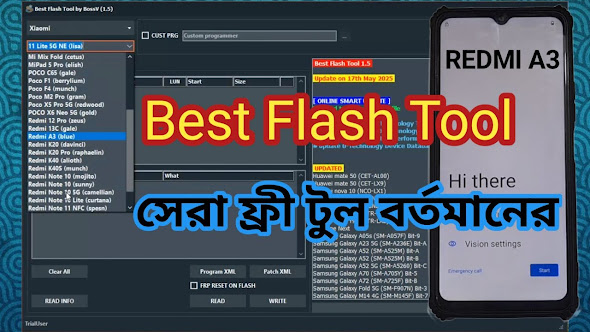
While UFT is amazing, it's always good to have alternatives in your toolkit. If you are looking for the absolute #1 free tool in the market, I highly recommend checking out the BFT (Best Flash Tool). It complements UFT perfectly.
Read about BFT here:
Installation Guide
Download the tool from the link below.
Extract the Rar file using WinRAR or 7-Zip.
Password:
RSL Mobile Solution
Open the extracted folder and run the setup file.
A shortcut will be created on your desktop. Double-click it to launch.
Download Section
File Name: UFT MTK New Security Tool
Status: Free / No Dongle Required
Password: RSL Mobile Solution
Final Thoughts for New Technicians
Don't be discouraged if you cannot afford expensive tools right now. The mobile repair industry is built on skill and patience. Use tools like the UFT MTK New Security Tool to practice and earn. Once you have a steady flow of customers, you can gradually invest in paid hardware. This tool is a gift for the community, and I hope it helps you in your professional journey.
If you face any issues with the tool or the installation, feel free to leave a comment or contact our support community.